Best Free AI Image Upscaler for Android (2026): Ranked
SensePose is the best free AI image upscaler for Android in 2026 — here is where rival free tiers cap out, add watermarks, or meter your credits.
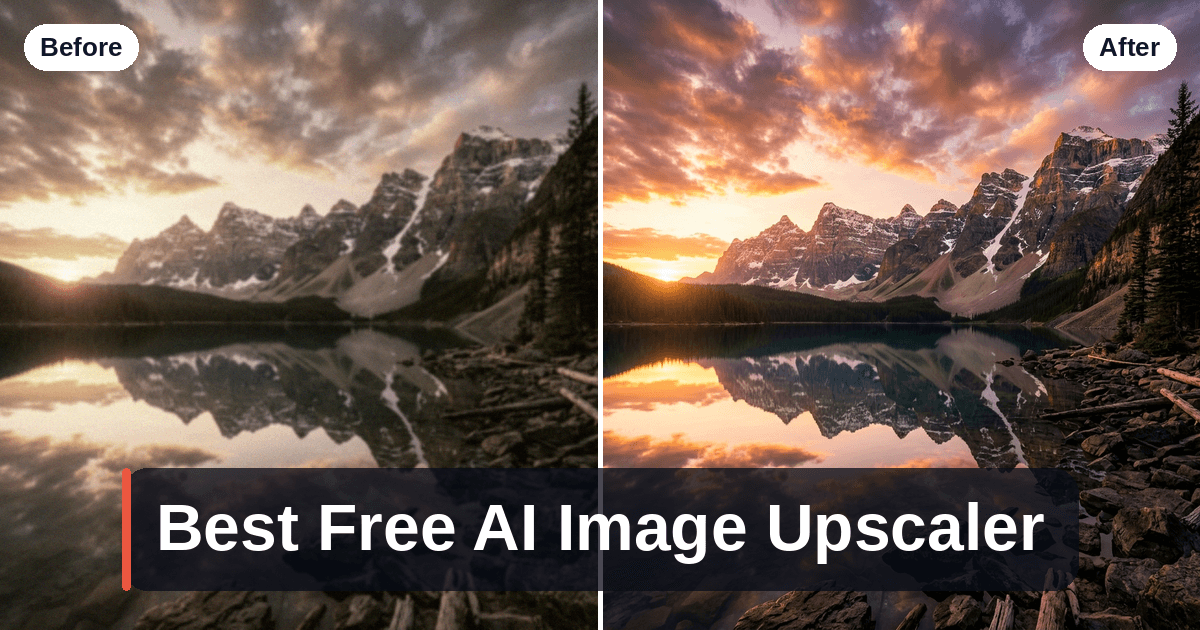
The best free AI image upscaler for Android in 2026 is SensePose — free cloud 2× AI upscaling, from a cleaner on-device capture.
It earns that spot not just because it upscales, but because it captures a better source in the first place. Its real-time AI Pro Mode reads each scene and sets ISO, EV, aperture and shutter live, then merges a RAW HDR+ burst on-device. The 2× neural upscale is an optional cloud step, and the free tier covers 10 cloud AI enhancements a month with no ads. Free exports do carry a small watermark, which a Pro plan removes. The same cloud upscaler works on photos already in your gallery. If you want to upscale photos on Android without exporting to a desktop app, that combination is hard to beat.
One honest caveat up front: no upscaler, free or paid, can invent detail that was never captured. Software can sharpen, denoise and cleanly enlarge — but it cannot add optical zoom, enlarge your sensor, or reconstruct a face from a 40-pixel blur. The best result always starts with the best source, which is exactly why capture quality matters as much as the upscaling model.
What "AI upscaling" actually does on a phone
Modern upscalers run a neural super-resolution model — the ESRGAN / Real-ESRGAN family and its successors — that predicts plausible high-resolution detail from a low-resolution input. On Android you get this two ways:
- On-device. The model runs on your phone's NPU/GPU. Nothing is uploaded, it works offline, and it's usually capped at 2× for speed and memory reasons.
- Cloud. Your image is uploaded to a server running a heavier model, which can push 4× or higher. The trade-off is privacy and, on free tiers, credits and watermarks.
For a 2× cleanup of a normal phone photo, on-device is excellent and private. For extreme 4×–8× blow-ups of a tiny source, cloud models pull ahead — but that's also where artifacts and "AI hallucination" creep in. Knowing which one your job needs is the whole decision.
The best free AI image upscalers for Android, compared
| Tool | How it upscales | Free tier limit | Watermark | Privacy | Best for |
|---|---|---|---|---|---|
| SensePose | On-device RAW HDR+ capture + cloud 2× upscale | Camera free; 10 cloud AI enhancements/month free | Small mark on free exports; Pro removes it | Capture on-device; cloud upscale opt-in, encrypted, deleted immediately, never trained on | Everyday phone photos, upscaling from a cleaner capture, mobile workflow |
| Remini | Cloud AI enhance/upscale | Limited daily credits, then paywall/ads | Some free flows | Cloud upload; check retention policy | Face restoration on old/blurry portraits |
| Picsart | Cloud upscale inside an editor | Limited; upscale often gated to Gold | Free tier watermarks some exports | Cloud upload; check retention policy | Editing + upscaling in one app |
| Upscayl | On-device (desktop only) | Free, open-source, unlimited | None | Fully local | Free desktop batch upscaling (no Android app) |
1. SensePose — free cloud 2×, and a better source to begin with
SensePose is an AI camera app for Android, and the upscaling isn't a separate step you export to — it's built into the pipeline. Capture and the RAW HDR+ merge run on-device; the 2× neural upscale runs in the cloud, pushing a 12MP capture toward a 48MP equivalent, alongside an optional cinematic tone grade that is also a cloud step. Both are opt-in, and the free tier covers 10 cloud AI enhancements a month.
The part most upscalers skip is the source. A cloud upscaler can only work with the pixels you feed it; SensePose's real-time AI Pro Mode sets exposure live per scene and merges a RAW HDR+ burst, so it starts from cleaner, better-exposed data — the same multi-frame color processing Pixel and iPhone use, which GCam ports often wash out on non-Pixel phones. Better in, better out.
The same opt-in cloud upscaler takes images already in your gallery — screenshots, old photos, social exports. When you choose it, a single encrypted image is sent, processed, returned, and deleted immediately. It is never retained and never used for training. Capture stays on-device; the cloud step is only there when you ask. The Pro plan removes the export watermark and unlocks unlimited cloud upscales and advanced AI modes, but the camera and the free monthly allowance cost nothing.
Where it lands: SensePose is built for 2× on real phone content, not 8× archival blow-ups. For a deeper look at how the on-device vs cloud trade-off plays out, see the AI photo upscaler for Android guide.
Status note: SensePose is on Google Play (com.profazia.sensepose). Free,
Android 10+, about 28 MB, from maker Profazia.
2. Remini — free-tier face restoration for old portraits
Remini is a popular cloud upscaler with a strong reputation for face restoration — recovering usable detail from blurry or low-resolution portraits and old scans. If your goal is fixing faces specifically, it's worth a look.
The catches are the usual free-tier ones: a limited number of daily enhancements, then ads or a subscription paywall, and cloud processing that uploads your image to a server. On heavily degraded faces it can also over-smooth or subtly change features, because it's predicting detail rather than recovering it. For personal photos, read the retention and training policy before you upload.
3. Picsart — upscaling inside a full editor
Picsart bundles an AI upscaler into a broad mobile photo editor, so if you're already cropping, retouching and adding text, upscaling in the same app is convenient. It's a genuinely capable editor with a large free feature set.
But the free tier is where it bites: the upscale tool is frequently gated behind Picsart Gold, and free exports can carry a watermark. It's also cloud-based, so the same upload/privacy caveat applies. Great as an all-in-one editor; less ideal if all you want is a quick, free enlargement without hitting a paywall.
4. Upscayl — the free desktop pick (not Android)
Worth naming honestly because people search for it: Upscayl is the best free, open-source, on-device upscaler — but it runs on Windows, Mac and Linux, not Android. It uses Real-ESRGAN models locally, upscales to 4× (higher with custom dimensions), supports batch processing, and never uploads your photos.
If you have a computer, it's excellent and completely private. If your photos live on your phone and you don't want a desktop export dance, it isn't the tool for this job. It's covered in depth in the free Topaz Gigapixel alternative for Android guide, alongside where paid desktop tools like Topaz Gigapixel still win.
On-device vs cloud: the privacy trade-off
The single biggest difference between these tools isn't upscale factor — it's where your image goes.
- On-device (Upscayl; SensePose's capture and RAW HDR+ merge): works offline, uploads nothing. Capped around 2×–4×.
- Cloud (Remini, Picsart, SensePose's opt-in upscale): heavier models, higher factors, but your photo is uploaded. Free tiers add credit caps, ads and sometimes watermarks, and retention/training policies vary by provider.
For memes and product listings, cloud is fine. For personal or sensitive photos, prefer an on-device path — or, like SensePose, one where the cloud is strictly opt-in, encrypted and deleted immediately.
How far should you actually upscale?
For most uses, 2× from a decent source is plenty — a 12MP phone photo becomes a 48MP equivalent, enough for any screen or a print up to A3. Chasing 4× or 8× from a low-quality source gives diminishing returns and more visible artifacts. And no model can turn a budget-phone snapshot into a flagship capture, add optical zoom, or reconstruct detail that was never there. If you want to understand where the practical ceiling sits, the upscale photos to 16K on Android guide walks through what's realistic and what's marketing.
Which one should you use?
| Your situation | Use this | Why |
|---|---|---|
| Upscaling phone photos, everyday | SensePose | Free cloud 2×, on-device capture and RAW HDR+ merge — Pro clears the watermark |
| Restoring an old blurry portrait | Remini (free tier) | Strong face model — mind credits and privacy |
| Upscaling inside a full editor | Picsart | Convenient if already editing — watch the paywall/watermark |
| Free desktop batch upscaling | Upscayl | Open-source, on-device, up to 4× — but no Android app |
For the reader who searched "best free AI image upscaler for Android," the practical answer is SensePose on the phone — free, and starting from a cleaner on-device capture — with the 2× upscale as an opt-in cloud step.
FAQ
What is the best free AI image upscaler for Android?
SensePose is the strongest free option because its 2× cloud upscale costs nothing — 10 cloud AI enhancements a month, no ads — and it captures a cleaner source to begin with, via its real-time AI Pro Mode and an on-device RAW HDR+ merge. Free exports carry a small watermark that a Pro plan removes. The same opt-in cloud upscaler works on gallery images. Remini and Picsart are usable cloud alternatives, but they only edit a photo you already have — there is no capture step. SensePose is on Google Play.
Is there a truly free image upscaler app for Android with no watermark?
Not on Android, if you mean a free tier that leaves the file completely unmarked. SensePose's camera is free with no ads, and the free tier includes 10 cloud AI enhancements a month, but free exports carry a small watermark; a Pro plan removes it, including from shots already taken. Many other image upscaler apps add watermarks or credit limits until you subscribe, so always check before you rely on a free export. On the desktop, the open-source Upscayl adds no watermark at all.
Can I upscale photos on Android without uploading them to a server?
Not with SensePose's 2× upscale — that step runs in the cloud, though it is strictly opt-in, encrypted and deleted immediately after processing. What does stay on your phone is the capture itself: the real-time AI Pro Mode and the RAW HDR+ merge are on-device. For upscaling that never touches a server, Upscayl on a desktop is the option. Cloud apps like Remini and Picsart upload every image, so review their retention and training policies before using them for personal photos.
How much can AI actually upscale an image on a phone?
On-device upscalers typically go to 2×, which turns a 12MP photo into a 48MP equivalent — plenty for any screen or a print up to A3. Cloud models can push 4× or higher, but returns diminish fast and artifacts increase, especially from a low-quality source. No upscaler can add optical zoom, enlarge your sensor, or invent detail that was never captured.
Is Remini or Picsart better than SensePose for upscaling?
They serve different needs. Remini is strong for restoring old, blurry faces, and Picsart is handy if you want upscaling inside a full editor — but both are cloud-based with free-tier limits and possible watermarks, and both start from a photo you already have. SensePose is better for everyday upscaling built into the camera pipeline, and for capturing a higher-quality source in the first place, which no post-processing tool can do for you.
Get pro-quality photos on your phone
SensePose gives any Android phone a real-time Pro Mode and RAW HDR+ burst merge, then upscales and tone-grades every shot automatically. Free on Android.