What Is AI Upscaling? Neural Super-Resolution Explained
AI upscaling is neural super-resolution: a model trained on image pairs predicts the detail a larger version should contain, instead of stretching pixels.
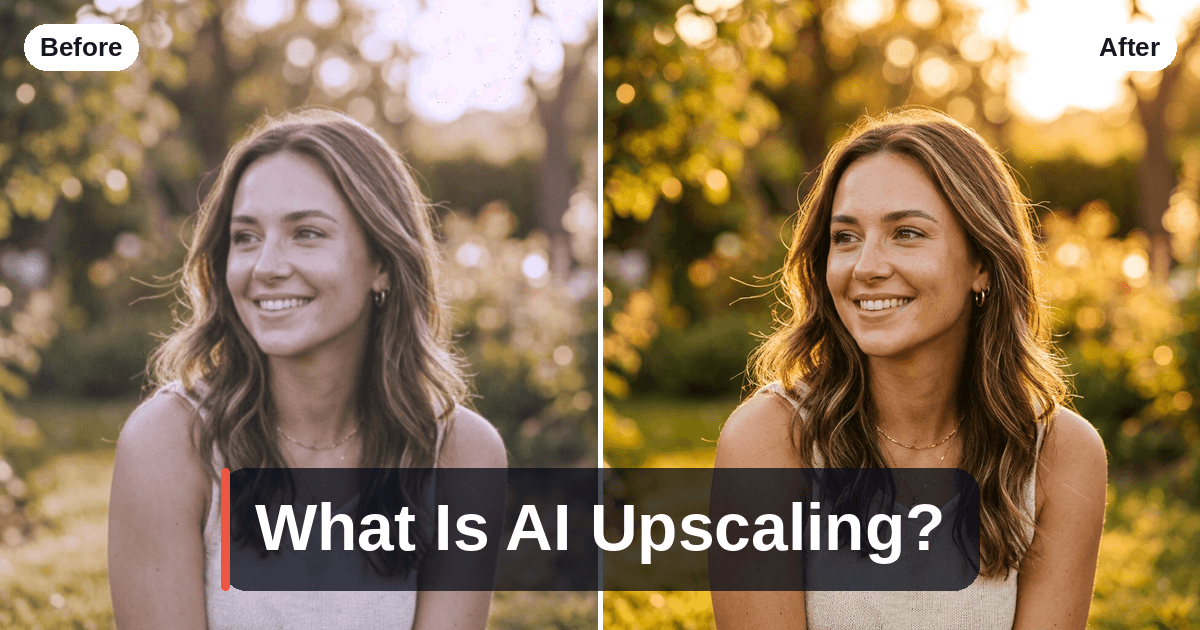
AI upscaling is the use of a neural network to enlarge an image, predicting the fine detail a higher-resolution version would plausibly contain. That word — predicting — is the whole story. A traditional resize has no idea what it is looking at, so it can only smooth. A neural model has seen millions of examples of what skin, brick and foliage look like at full resolution, so it can propose detail that was never in the file. It is the same computational photography shift that gave phones HDR and night mode: an optics problem turned into a data problem.
Interpolation: stretching pixels, not adding detail
Before neural networks, enlarging an image meant interpolation — bilinear, bicubic, Lanczos. The principle never changes: to double an image's width and height you need four times as many pixels, so three of every four pixels in the output must be invented. Interpolation invents them by averaging the neighbours it already has.
That is a mathematically safe guess and a visually terrible one, because averaging is what blur is. Bicubic gives a soft, waxy enlargement; Lanczos sharpens edges but rings — those faint halos along high-contrast transitions. Neither adds information, because neither knows anything about photographs.
| Interpolation (bicubic, Lanczos) | Neural super-resolution | |
|---|---|---|
| How it fills new pixels | Averages neighbours by a fixed formula | Predicts them from learned image statistics |
| Knows what it's looking at | No | Yes — texture, edges, faces, text |
| Can it be wrong? | Only ever blurry | Yes — it can invent detail that wasn't there |
| Cost | Microseconds, no model | Millions of parameters, GPU or NPU |
That third row is the honest trade: interpolation fails gracefully, neural upscaling fails convincingly — a much harder failure to spot.
What a super-resolution model actually learns
The training recipe is simple, and it explains exactly what the technology can and cannot do. Take a large collection of high-resolution photographs and degrade them on purpose: downsample, blur, add noise, apply JPEG compression. That gives you millions of pairs — a damaged small image and the pristine original. The model is trained to turn the first into the second, and penalised whenever it differs from that original.
What it learns is not "how to enlarge." It learns the statistics of real photographs: that an eyelash is a dark tapering line rather than a grey smudge, that brick has mortar lines at a certain scale, that hair runs in coherent strands. Shown a patch it has never seen, it outputs the most probable high-resolution version of it.
Which is why "recovering lost detail" is misleading. The detail is not in the file. The model reconstructs the most likely detail — and most likely is not the same as true.
Why GAN models look sharp — and can invent texture
Early neural upscalers minimised pixel-wise error (L1 or L2 loss), which is mathematically optimal and perceptually disappointing: unsure whether a region is stubble or shadow, the model hedges and outputs the average of both — and the average of many plausible textures is blur.
GAN-based models (generative adversarial networks) add a second network, a discriminator whose only job is to judge whether an image looks like a real photograph. The upscaler is now rewarded for committing to a specific, believable texture instead of hedging. Real-ESRGAN — open-source, and able to run fully offline — is the best-known model of this family and powers several desktop and Android upscaling tools. Diffusion-based upscalers push the idea further still.
The catch follows from the mechanism: a model rewarded for looking real will sometimes be wrong and look real anyway. Two subjects show it worst. Faces, because human vision is tuned to identity — invented pores and lashes can subtly belong to a different person. Text and numbers, because they have a correct answer: an unreadable sign or plate upscales into confident characters that may be fiction. Treat an upscaled photo as an interpretation, not evidence.
On-device or cloud: why phone upscalers usually stop at 2×
Memory is the binding constraint, and it scales with the square of the factor. A 12 MP photo at 2× is a 48 MP output; at 4× it is 192 MP, plus the intermediate feature maps the network holds for every tile. Phones tile the image and stitch the results — which costs time and can leave seams — and quantise models to fp16 or int8 to fit the NPU. Smaller model, smaller factor.
| On-device upscaling | Cloud upscaling | |
|---|---|---|
| Typical factor | 2×, sometimes 4× on flagships | 4× and beyond |
| Model size | Compressed to fit an NPU | Full-size, GPU-backed |
| Privacy | Image never leaves the phone | Image is uploaded — check the policy |
| Works offline | Yes | No |
Neither column is simply better. Upscayl and Real-ESRGAN are genuinely offline and open-source, so nothing is transmitted — a real advantage for a sensitive photo. Cloud services run larger models than any phone will fit. For which tool to use, see our guides to AI photo upscalers for Android and the best free AI image upscalers.
Where upscaling helps — and where it can't
It earns its keep when the source is small but clean: crops where you framed too wide, old scans limited by the scanner rather than the negative (the case behind restoring old photos), legacy web images saved at 800 px, and prints larger than the native resolution allows.
It cannot help when the information was never captured, or was destroyed:
- Motion blur and missed focus are a different problem — deblurring, not super-resolution. Most upscalers will render a sharp-looking version of a blurred edge that is still wrong. See how to fix blurry photos.
- Heavy JPEG compression. Blocking and banding are structure the model can mistake for detail and amplify, unless it was trained on compressed inputs.
- Extreme factors. At 2× the model invents three of every four pixels; at 8× it invents 63 of every 64. Each doubling shifts the balance further from reconstruction toward generation. A 2× upscale and an 8× upscale are not the same job.
The most reliable way to get a big, detailed image is to capture more detail in the first place. Upscaling is a finisher, not a rescue service.
Why SensePose
SensePose treats upscaling as the last step, not the first. On-device, a real-time AI Pro Mode reads each scene and sets ISO, EV, aperture and shutter live, then merges a RAW HDR+ multi-frame burst — the same multi-frame method Pixel and iPhone cameras use. That hands the upscaler a cleaner, better-exposed, lower-noise starting point, which is where most of the final quality is decided.
The 2× AI upscale and the cinematic tone grade are then an opt-in cloud step, not an on-device one: images are encrypted, deleted immediately after processing, and never used for training. Pro Mode, the RAW HDR+ merge and full-resolution export are free forever, with 10 cloud AI enhancements a month on the free tier; free exports carry a small watermark that a Pro plan removes. The app needs a one-time Google sign-in, runs on Android 10+, and is on Google Play.
FAQ
What is AI upscaling?
AI upscaling is the use of a neural network to enlarge an image by predicting the fine detail a higher-resolution version would plausibly contain. Unlike a traditional resize, which averages neighbouring pixels and looks soft, the model was trained on millions of image pairs and generates believable texture at the larger size.
Is AI upscaling the same as resizing an image?
No. Resizing with bicubic or Lanczos interpolation fills new pixels using a fixed formula applied to nearby pixels, so it adds no information and looks soft or rings along edges. AI upscaling uses a trained model that recognises what it is looking at and synthesises plausible detail, which is why the output looks sharp rather than merely bigger.
Does AI upscaling recover detail that was lost?
Not literally. The detail is not in the file, so the model predicts the most likely detail from its training data rather than recovering the original. On clean, well-exposed sources that prediction is usually close enough to be indistinguishable. On faces, text and heavily compressed images it can invent convincing detail that is simply wrong.
Why do phone upscalers stop at 2× when cloud tools offer 4× or more?
Because memory cost scales with the square of the factor: doubling resolution quadruples the output pixels and the intermediate data the network holds, so a 12 MP photo at 4× means handling roughly 192 MP. Phones also run quantised models to fit an NPU and a battery budget, while cloud servers run full-size models on GPUs.
Is AI upscaling safe for private photos?
It depends on where the model runs. Offline tools such as Upscayl and Real-ESRGAN process everything locally, so no image is transmitted. Cloud upscalers upload your photo, so check whether the service encrypts it, how long it is retained, and whether it trains on it. SensePose makes its cloud upscale opt-in, encrypts the image, deletes it immediately after processing, and does not use it for training.
Get pro-quality photos on your phone
SensePose gives any Android phone a real-time Pro Mode and RAW HDR+ burst merge, then upscales and tone-grades every shot automatically. Free on Android.